
When I joined the project, LADM was primarily positioned as a utility for device management and customization. I saw an opportunity to redefine its role—not simply as a configuration tool, but as the software intelligence connecting Lenovo’s hardware ecosystem with AI-powered productivity.
To support this vision, I led a comprehensive redesign of the product experience. I reimagined the UI and UX to create a more unified, modern, and intuitive interface that simplified device management while establishing a scalable foundation for future AI capabilities. The redesign brought consistency across different device categories, improved discoverability, streamlined key workflows, and aligned the product with Lenovo’s evolving design language.
This vision guided LADM’s evolution from managing devices to enabling intelligent experiences. By introducing features such as AI Screenshot and Whisper Input, we transformed everyday peripherals into intuitive AI interfaces, allowing users to access AI naturally through the hardware they already use. Rather than requiring users to adapt to new workflows, LADM integrates AI seamlessly into familiar interactions, making productivity more intelligent and effortless.
Contribution: Product Management, UI/UX Design
Issues with Early Version of LADM
Low Frequency Usage:
Focused primarily on device management and configuration, resulting in low user engagement and infrequent app launches.
User Interface Issues:
The visual design is outdated and no longer aligns with Lenovo's current design language.
The interface is cluttered, making key information difficult to identify.
The Device Overview page contains limited information, yet it is placed first among the secondary pages, giving it disproportionate prominence.
The control pages lack visual consistency across different device categories.

Change 1: Redesign User Interface
Adopt a clean, modern visual language.
Emphasize key information, such as device status and battery level, while reducing visual clutter and improving visual hierarchy.
Place frequently used features in more prominent and easily accessible locations.
Use a consistent left-right layout across all device categories.
Home

Input

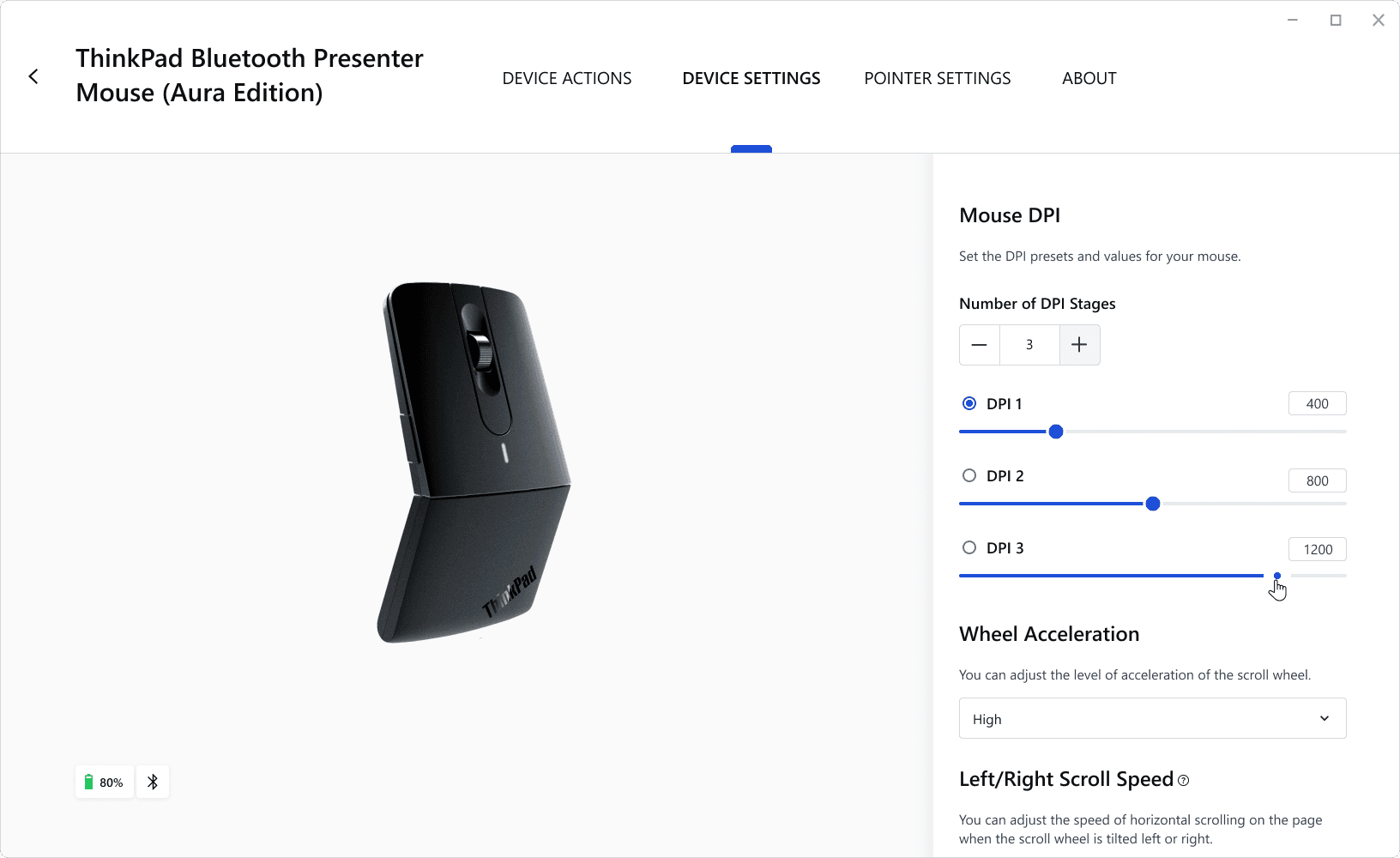


Headset


Webcam


Dark Mode


Change 2: Add Productivity Features
Reimagine LADM as more than a device management platform—an AI platform that unlocks unique experiences across Lenovo hardware. In addition to screenshot and screen recording, the tool offers AI-powered features including Ask AI, Text Extraction, AI Translation, AI Background Removal, and Edit with Prompt. Captured screenshots are automatically saved to the Insight Gallery, where AI generates descriptive titles and enables fuzzy search for quick retrieval.
Ask AI

Edit with Prompt

Basic Image Editting

Insight Gallery
